Italic name design: four slanted styles
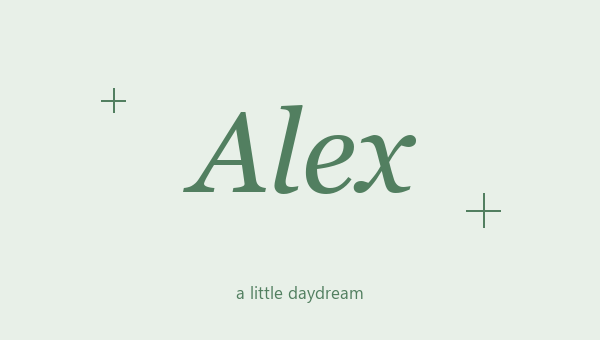
An italic name design tilts your name but keeps it easy to read. Serif Italic has a thin, classic slant. Sans Serif Italic is simpler. Bold Serif Italic and Bold Sans Serif Italic make the slanted letters thicker. Look at the plain versions first, then try the ones with frames. A short name like Alex can look nice in the thin serif style. A longer nickname is often clearer in a bold one. There is no slider for the angle, because each style is its own set of letters. The size slider only changes the preview on this page. It does not change the size of the text you copy.
Copy and paste an italic name
Type your name the way you want it, with capitals, spaces and punctuation. Look through the italic cards and copy the one you like. You are copying slanted letters, not an italic setting. That means it works in places with no formatting buttons, as long as the app accepts these characters. Keep your normal spelling close so you can switch back quickly. Want a star or heart around your name? Pick a card that already has one. The copied text has the same frame you see on the card. There is no image or extra file to download, and nothing to install on your phone.
Pair italic letters with hearts and frames
Slanted letters and a frame can fight each other. An outline heart feels soft. A diamond looks sharper. Corner brackets look neat and tidy. Try the same nickname in each one, so you are only changing the frame. Look closely at the first and last letters. A slanted letter can look squashed against a bracket that sits too close. The spaces built into each frame help keep them apart. For a short bio signature, plain italic letters with no frame may fit better than a long border. Let the space you have decide how much decoration you keep around your name.
Italic names that stay easy to read
Look at the whole italic name design at a small size before you pick a favorite. Thin slanted letters can be hard to tell apart on some phones. A bold italic style can help, but check the pasted text, because your phone and the app may draw the letters a bit differently. Most italic styles here leave numbers and punctuation as normal. Bold Sans Serif Italic has slanted numbers too. Letters with accents that the style can't change also stay the same. This keeps your spelling right, but it can look a little mixed. Keep your style matching where you can, and never style your email, phone number or links.
Light italic or bold italic?
Serif Italic, Sans Serif Italic and Bold Serif Italic are three different slanted styles. Look at them with no frame first, so you only judge the letters. A bold italic is easier to see when a thin slanted style looks too light on a small screen.
Leave room beside the name
Slanted letters can look like they touch a bracket or symbol next to them, even when they don't. Check the start and end of the pasted name. A space between the frame and the letters often looks cleaner than squeezing them together.